Manual Pallet Truck With Scale | Calibrate Inaccurate Weighing
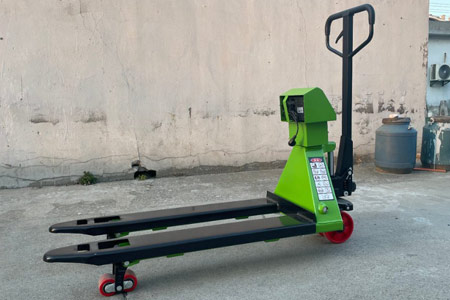
manual pallet truck with scale integrates cargo transportation and weighing functions. It is widely adopted for warehouse receiving, outbound inventory checking and logistics piece-count settlement. Operators frequently face weighing deviation issues. This article sorts out fault causes and standard procedures to calibrate scaled pallet truck inaccurate weighing.
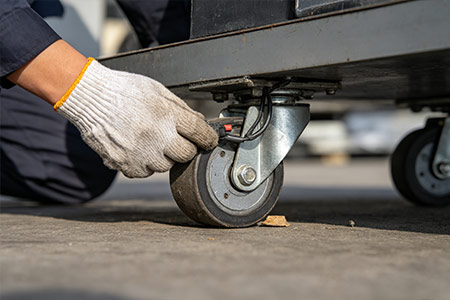
Before formal calibration, eliminate external influencing factors to avoid ineffective adjustment: Unqualified ground surface: Weighing must be carried out on flat and solid cement ground. Slopes, potholes, rubber mats and cracked ground lead to uneven force bearing and persistent weighing errors. Weighing on pallets or skids is prohibited. Foreign objects stuck around wheels and chassis: Clean plastic ropes, iron wires and gravel tangled in wheel gaps and under the chassis. Objects propping up the chassis cause abnormal force on sensors and continuous value drifting.
Offset cargo placement: Place goods at the center of forks. Unilateral load creates obvious weighing deviation. Do not place heavy loads at the tip of forks. Deformed mechanical components: Severe impact may bend forks or truck frames and change the force structure of sensors. Calibration alone cannot fix the problem; mechanical maintenance is required. Low battery power: Low voltage of the indicator causes unstable readings and value jumping. Fully charge the device before weighing and calibration.
If readings remain inaccurate after above checks, follow the steps below for adjustment: Step 1: Zero calibration under no load Place the scaled pallet truck horizontally with no load on forks. Power on and wait for the indicator to stabilize. If the reading is not zero, perform zero/tare function first. If zero cannot be achieved persistently, check whether sensor cables are loose or damaged.
Step 2: Access calibration mode Button operations vary among different indicator brands. General operation logic: After startup and stabilization, long press the Zero or Calibration button for 3–5 seconds to enter calibration menu. Some models require combined buttons (Tare + Zero). Refer to the original indicator manual.
Step 3: Zero point calibration with empty load When the screen shows “No Load”, confirm no goods on forks and press confirm to save zero parameters.
Step 4: Load weight calibration (core procedure) Place standard weights steadily at the center of forks and wait for stable readings following on-screen prompts. Input the actual weight value of standard weights and press confirm. Example: If using 1000kg standard weights, enter 1000 after value stabilizes and save data.
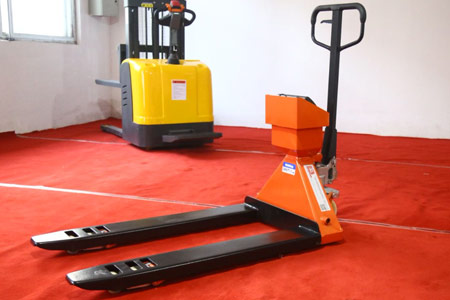
Step 5: Save parameters and exit calibration mode Select Save after finishing calibration, then power off and restart the indicator. Verify zero reading under empty load, repeatedly test with standard weights to check whether weighing error falls within allowable range (±0.1%–0.2% for regular industrial models).
If button layout of your manual pallet truck with scale differs from the above process, contact us to confirm the exact operation steps for easy and correct calibration.
-
 Reliability Of Newnewton Warehouse Forklifts For Heavy-Duty ShiftsWarehouse forklift reliability relies on industrial parts, reinforced frames and factory durability tests. Proper operation and maintenance reduce unexpected downtime.
Do you like ?0
Read more -
 Forklift Configuration Strategy For Dense Warehousing, Warehouse ForkliftDense warehousing needs matched forklifts besides racks. Reach and trilateral stackers fit different layouts, coordinate aisle, load curve and floor for smooth handling.
Do you like ?0
Read more -
 Full Container Supply For Export Forklifts, Forklift ManufacturerBulk forklift orders for overseas can ship by FCL or LCL. Newnewton FCL offers stable freight, safer packing and mixed models for large purchases.
Do you like ?0
Read more -
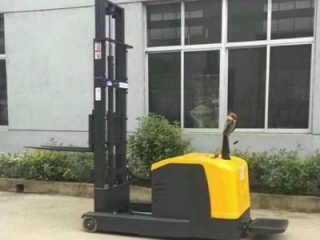 Stand-on Reach Stacker For Narrow Aisle Stacking, Mast Reach StructureStand-on reach stackers feature sliding masts that stay outside racks. They boost storage density in narrow aisles and require flat floors and standard pallets.
Do you like ?0
Read more -
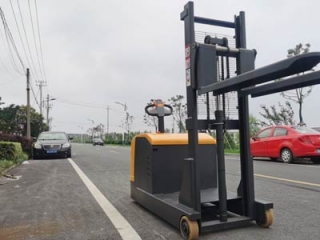 Stand-on Counterbalance Stacker For Various Pallets, Why No Leg RestrictionCounterbalance stackers have no front outriggers, using rear counterweight to avoid pallet interference. They fit various odd pallets yet need wider warehouse aisles.
Do you like ?0
Read more -
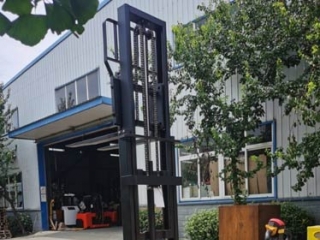 Custom Walk-Behind Counterbalance Stacker | Non-Standard ModificationsStandard walk-behind counterbalance stackers struggle with non-standard pallets and tight aisles. Customize load, lift, forks and structure, share working conditions for safe design.
Do you like ?0
Read more